
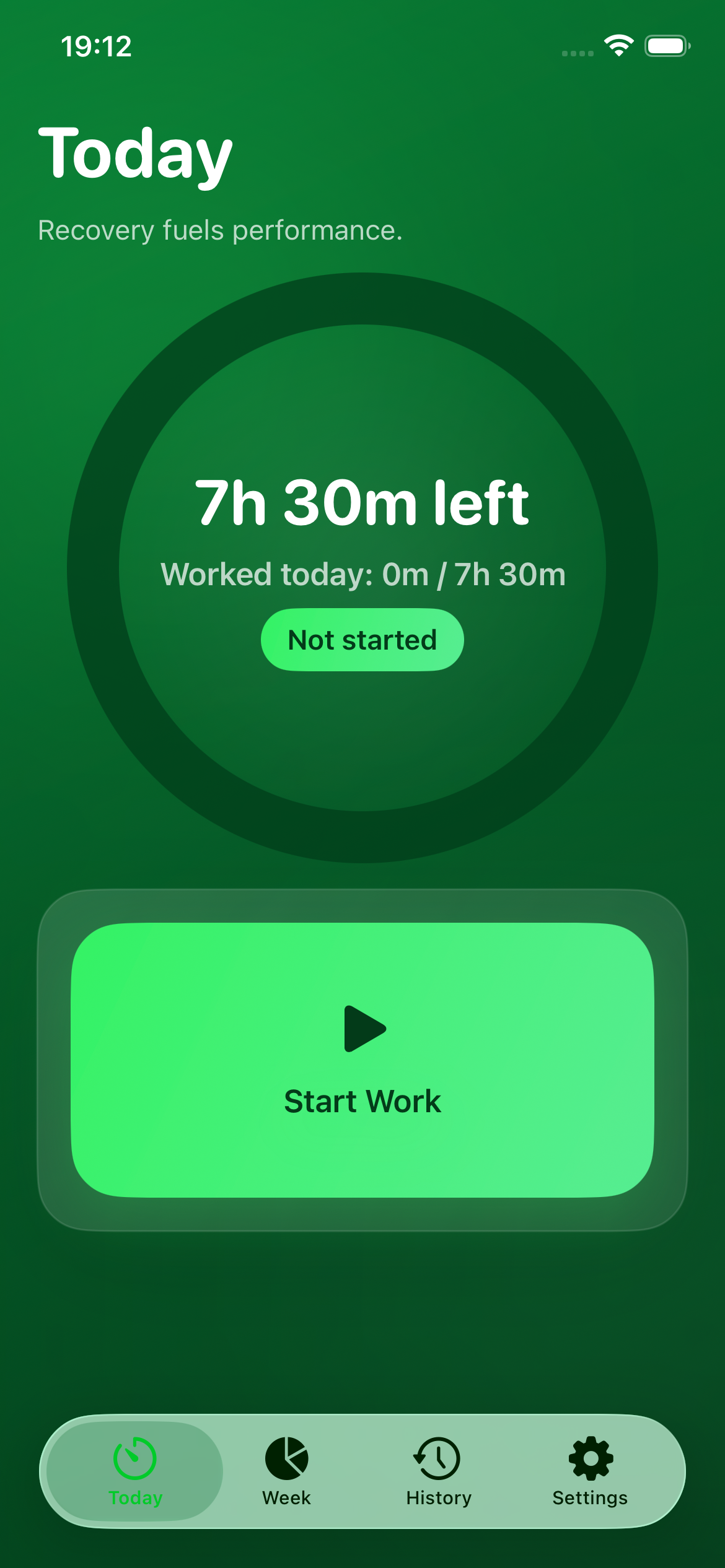
The Workday App for iOS
Workday helps you protect your time and build a healthier rhythm between work and life.
Instead of treating the day like an endless timer, Workday gives you a clear daily work budget and shows exactly how much time you have left. Start your day, pause when you step away, resume when you return, and finish when you’re done. Everything is designed to make it easy to work with intention and stop with confidence.
With Workday, you can:
Track your workday against a daily target
Start, pause, resume, and finish your day with simple controls
Record multiple work sessions across the same day
See how much time remains today
View weekly totals and weekly balance at a glance
Review past weeks in History
Customize daily target hours, working days, and notification preferences
See your current status on the Lock Screen with Live Activity support
Use an iPhone widget for quick progress checks
Privacy Policy for Workday
Effective date: `30 March 2026`
`Workday` respects your privacy. This app is designed to help you track your daily work time and maintain a healthier work/life balance, while keeping your information private and under your control.
Information We Collect
`Workday` does not collect personal information through a remote server.
The app stores information locally on your device, including:
- work session start and end times
- daily progress and weekly summaries
- app settings such as daily target hours, working days, and notification preferences
This information is used only to provide the app’s features.
How Your Data Is Used
Your data is used solely to:
- calculate worked time and remaining time
- display daily and weekly summaries
- show widget and Lock Screen Live Activity information
- schedule local notifications you enable
`Workday` does not sell, rent, or share your personal data with third parties.
Data Storage
All app data is stored locally on your device using Apple-native storage technologies.
If widgets or Live Activities are enabled, limited app state may also be stored in a shared app container on your device so those features can display your current progress.
No cloud backend or account system is required to use the app.
Notifications
If you enable notifications, `Workday` may send local notifications on your device, such as:
- a morning reminder
- a 30-minutes-remaining reminder
- a target-reached alert
These notifications are generated entirely on-device.
Analytics and Tracking
`Workday` does not use third-party analytics, advertising SDKs, or cross-app tracking.
`Workday` does not track you across apps or websites.
Data Sharing
`Workday` does not transmit your data to external servers for app functionality.
Your data may only be processed by Apple system frameworks on your device as required to support core features such as notifications, widgets, and Live Activities.
Your Choices
You can:
- adjust or delete your work records within the app
- disable notifications at any time in the app or iPhone settings
- remove the app from your device, which also removes its locally stored data subject to iOS system behavior
Children’s Privacy
`Workday` is not intended to collect personal information from children.
Changes to This Policy
This Privacy Policy may be updated from time to time. If it changes, the updated version will be made available with a new effective date.
Contact
If you have questions about this Privacy Policy, you can contact us here: Info@resilientdigi.com